Stock Expiry
Stock Expiry
InvenTree supports stock expiration dates, which allows individual stock items to be automatically marked as expired past a certain calendar date.
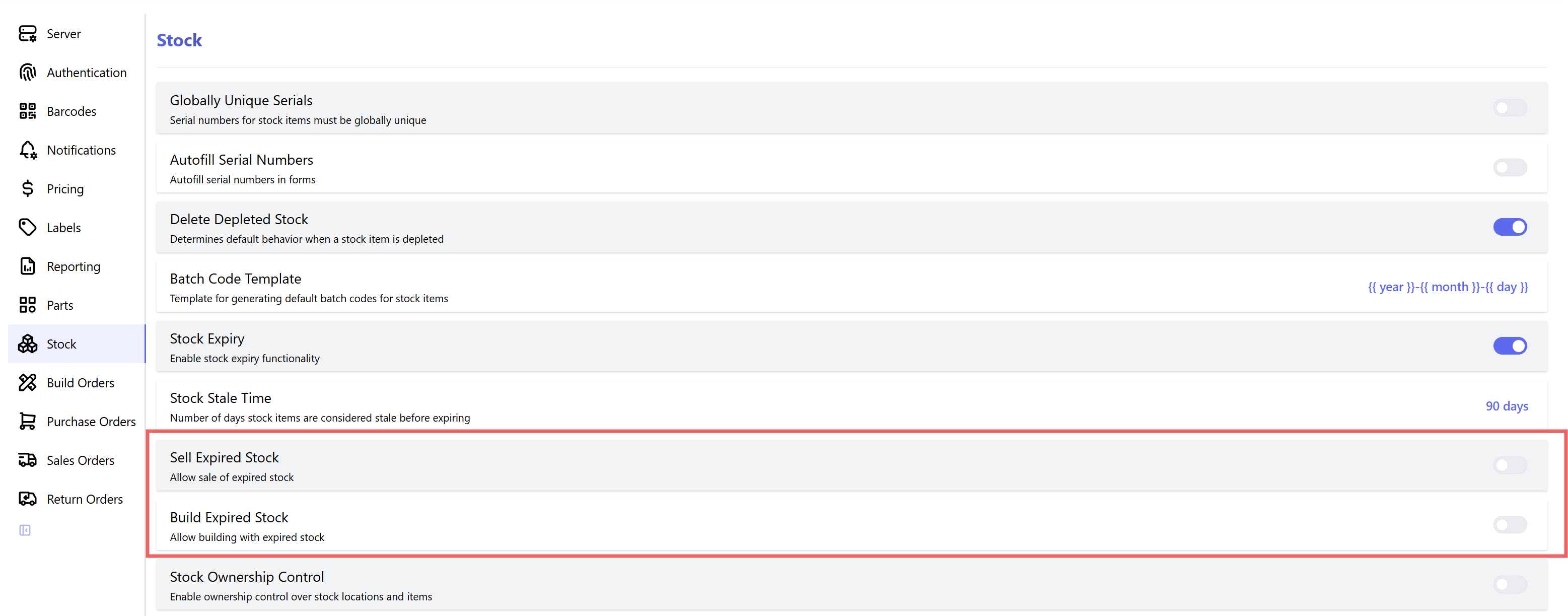
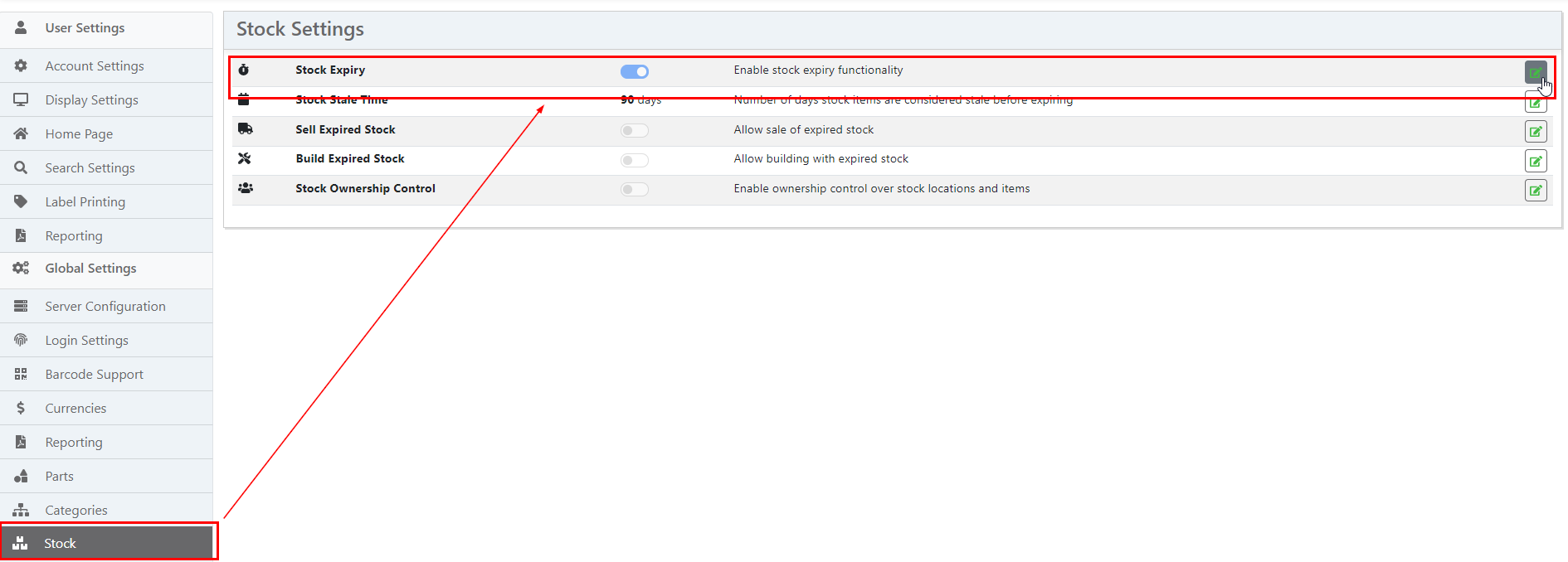
The stock expiry feature is disabled by default, and must be enabled via the settings menu:
Non Expiring Stock
If a Stock Item is not expected to expire, leave the expiry date field blank, or zero
Add Expiry Date
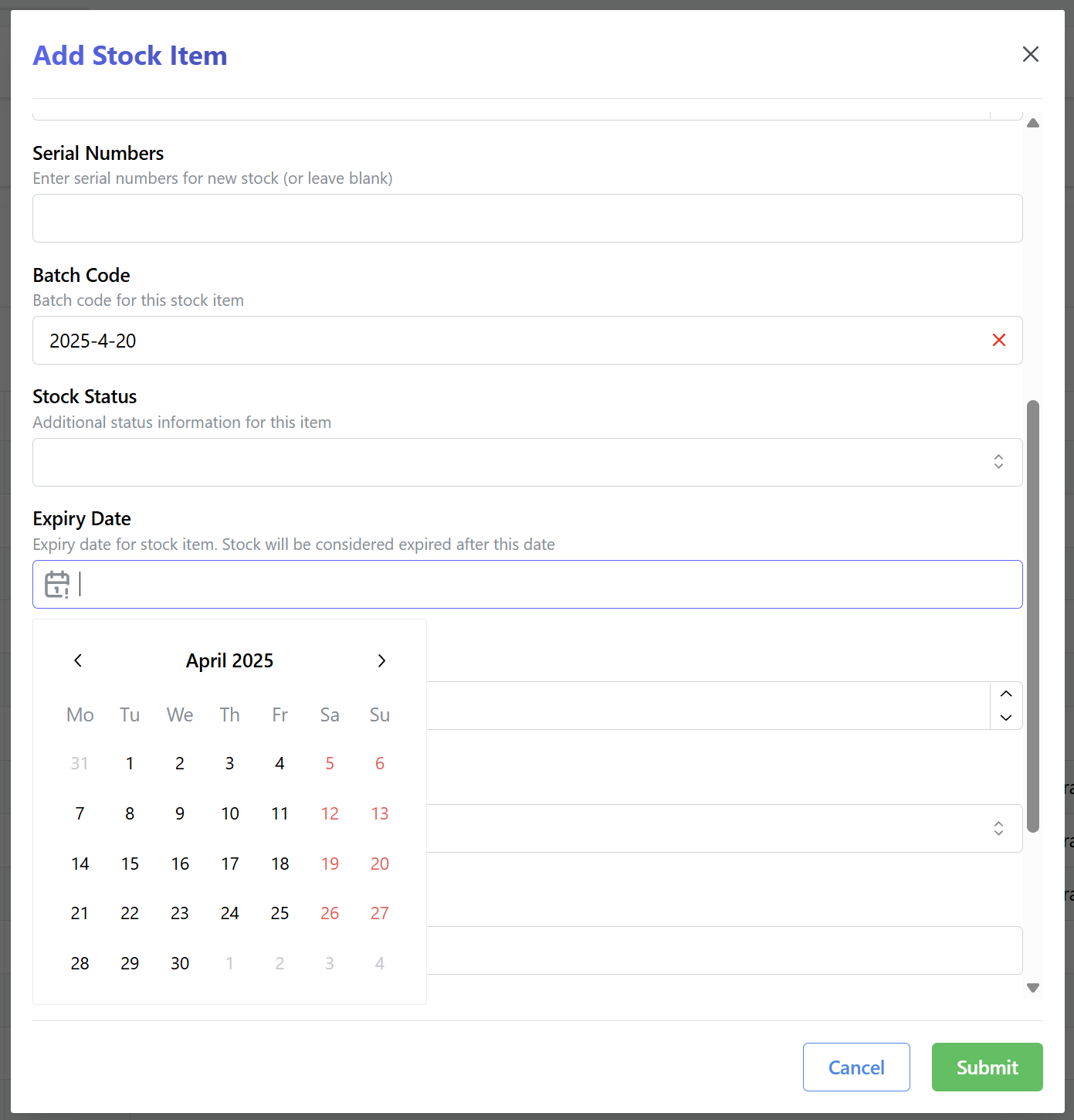
When creating a new stock item, the expiry date can be manually set by the user.
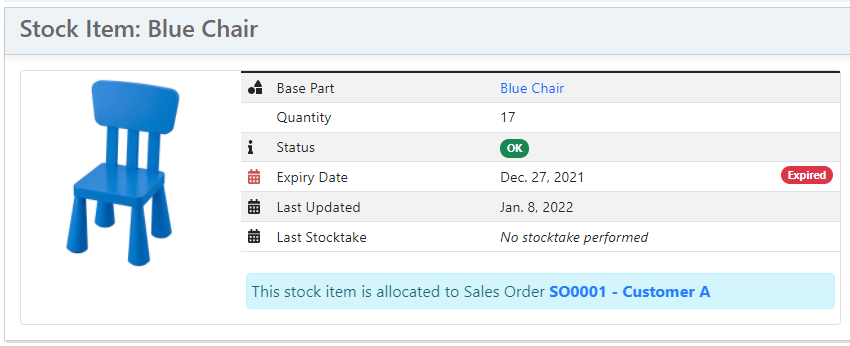
If an expiry date is defined for a particular stock item, it will be displayed on the detail page. If the expiry date has passed (and the stock item is expired) then this will also be indicated.
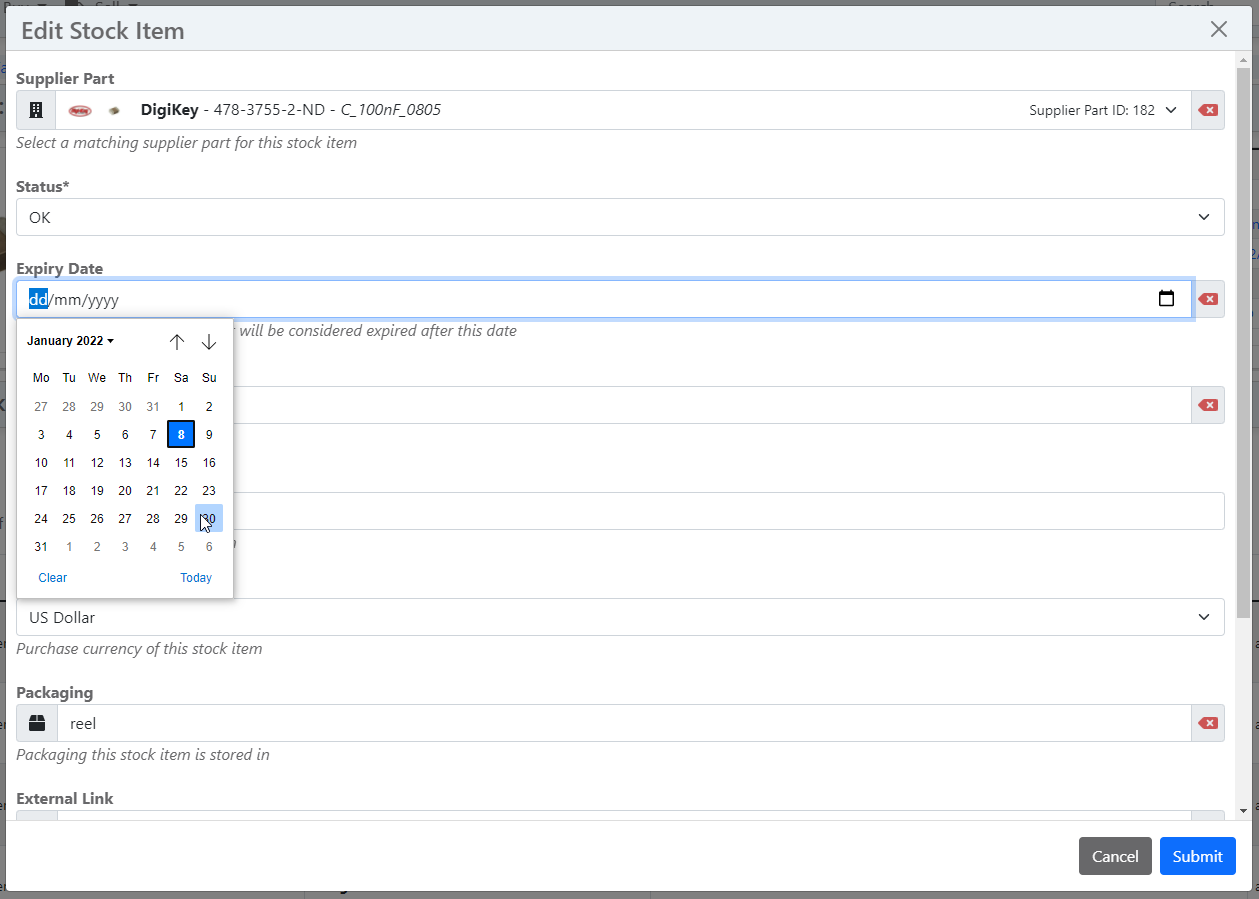
The expiry date can be adjusted in the stock item edit form.
Filter Expired Stock
The various stock display tables can be filtered by expired status, and also display a column for the expiry date for each stock item.

Index Page
If the stock expiry feature is enabled, expired stock are listed on the InvenTree home page, to provide visibility of expired stock to the users.
Part Expiry Time
In addition to allowing manual configuration of expiry dates on a per-item basis, InvenTree also provides the ability to set a "default expiry time" for a particular Part. This expiry time (specified in days) is then used to automatically calculate the expiry date when creating a new Stock Item as an instance of the given Part.
For example, if a Part has a default expiry time of 30 days, then any Stock Items created for that Part will automatically have their expiry date set to 30 days in the future.
Non Expiring Parts
If a part is not expected to expire, set the default expiry time to 0 (zero) days.
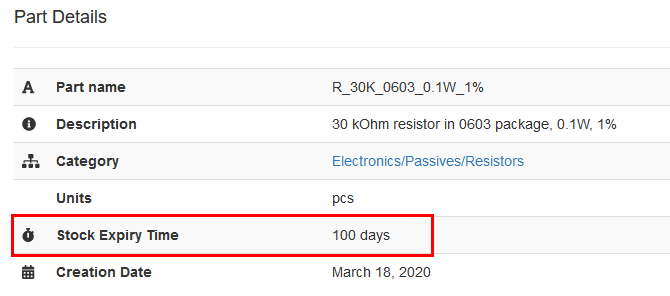
If a Part has a non-zero default expiry time, it will be displayed on the Part details page
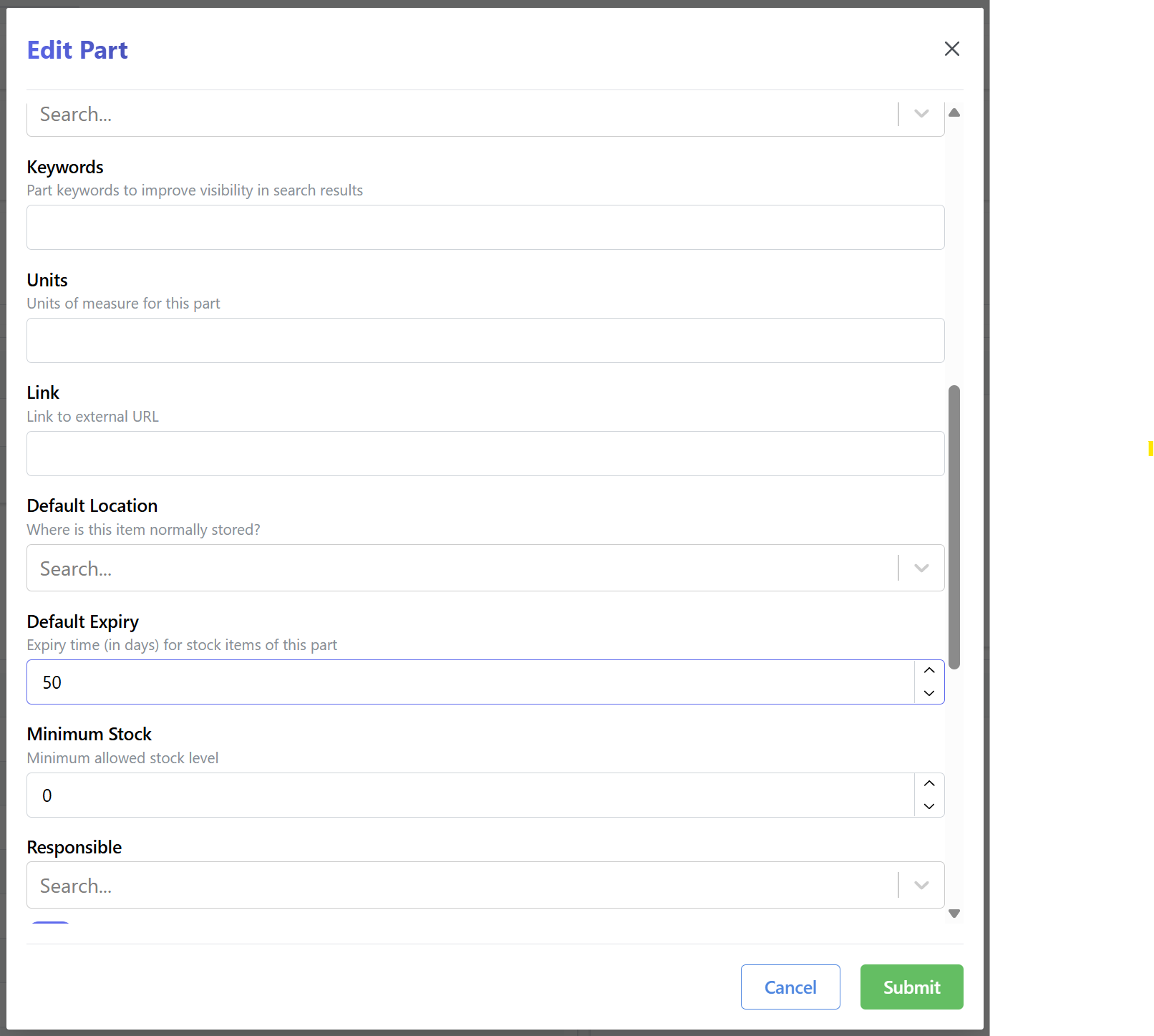
The Part expiry time can be altered using the Part editing form.
Stale Stock Notifications
InvenTree can automatically notify users when stock items are approaching their expiry dates. This feature helps prevent stock from expiring unnoticed by providing advance warning.
Configuration
The stale stock notification system uses the STOCK_STALE_DAYS global setting to determine when to send notifications. This setting specifies how many days before expiry (or after expiry) to consider stock items as "stale".
For example, if STOCK_STALE_DAYS is set to 10:
- Stock items expiring within the next 10 days will trigger notifications
- Stock items that expired within the last 10 days will also trigger notifications
How It Works
The system runs a daily background task that:
- Checks for stale stock: Identifies stock items with expiry dates within the configured threshold
- Groups by user: Organizes stale items by users who are subscribed to notifications for the relevant parts
- Sends consolidated emails: Each user receives a single email containing all their stale stock items
Prerequisites
For stale stock notifications to work:
- Stock expiry must be enabled: The
STOCK_ENABLE_EXPIRYsetting must be enabled - Stale days configured: The
STOCK_STALE_DAYSsetting must be greater than 0 - Email configuration: Email settings must be properly configured
- User subscriptions: Users must be subscribed to notifications for the relevant parts
User Subscriptions
Users will only receive notifications for parts they are subscribed to. To subscribe to part notifications:
- Navigate to the part detail page
- Click the notification bell icon to subscribe
- Users can also subscribe to entire part categories
For more information on part subscriptions, see the Part Notifications documentation.
Sales and Build Orders
By default, expired Stock Items cannot be added to neither a Sales Order nor a Build Order. This behavior can be adjusted using the Sell Expired Stock and Build Expired Stock settings: