User Settings
User Settings
The various user settings described below can be configured for an individual user, to provide an InvenTree user experienced customized to their preferences. Your user settings can be accessed by selecting Settings from the menu in the top right order of the screen.
Account Settings
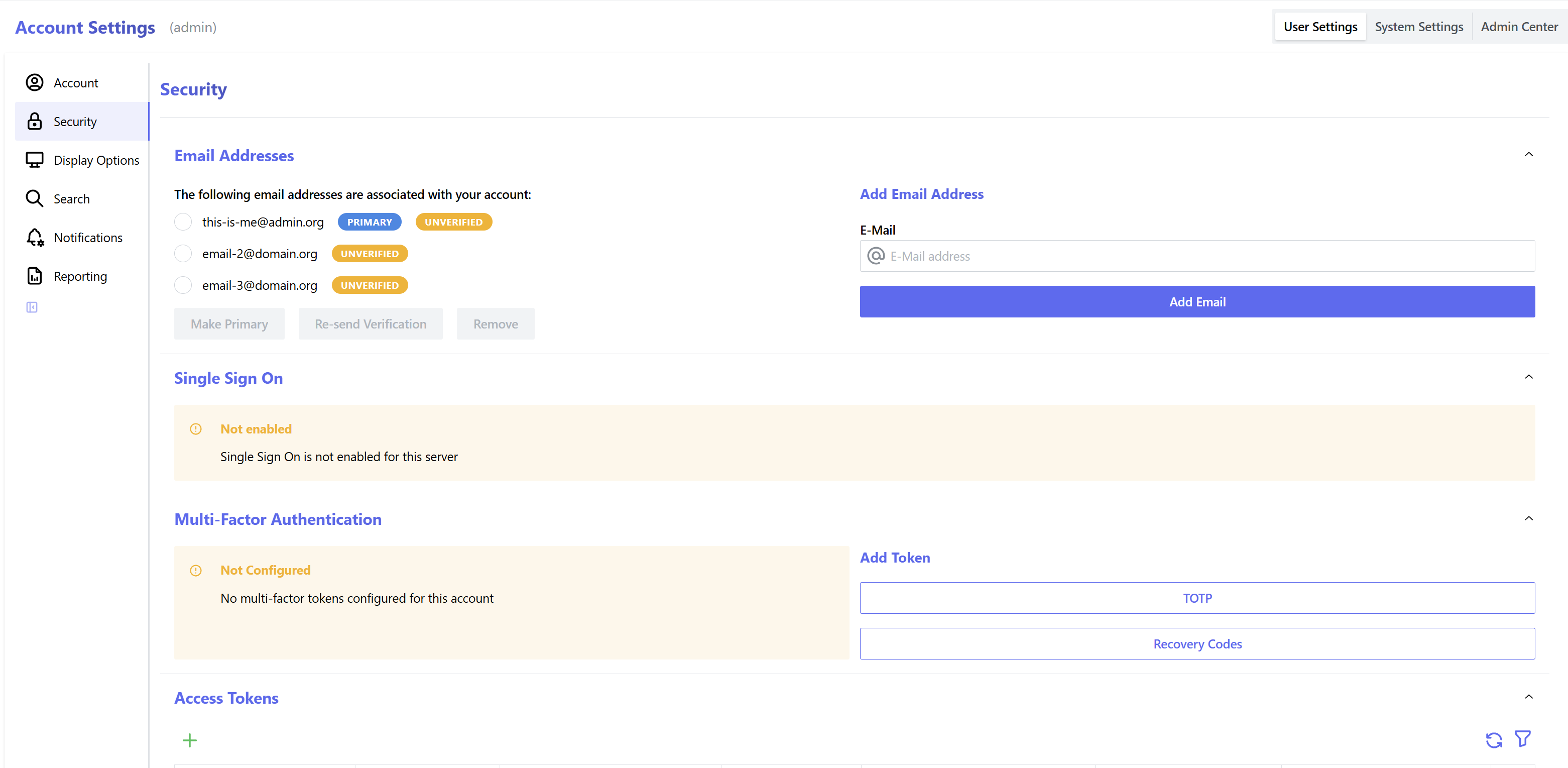
The Account Settings screen shows configuration options for your user account, including linking third party logins and multi factor authentication:
Display Settings
The Display Settings screen shows general display configuration options:
| Name | Description | Default | Units |
|---|---|---|---|
Navigation Icons |
Display icons in the navigation bar | False |
|
Fixed Navbar |
The navbar position is fixed to the top of the screen | False |
|
Fixed Table Headers |
Table headers are fixed to the top of the table | False |
|
Show Spotlight |
Enable spotlight navigation functionality | True |
|
Barcode Scanner in Form Fields |
Allow barcode scanner input in form fields | False |
|
Date Format |
Preferred format for displaying dates | YYYY-MM-DD |
|
Escape Key Closes Forms |
Use the escape key to close modal forms | False |
|
Show Stock History |
Display stock history information in the part detail page | True |
|
Show full part categories in tables |
Disabled: The full category path is displayed as a hover tooltip. Enabled: The full category path is displayed as plain text. | False |
|
Show Last Breadcrumb |
Show the current page in breadcrumbs | False |
|
Show full stock location in tables |
Disabled: The full location path is displayed as a hover tooltip. Enabled: The full location path is displayed as plain text. | False |
Search Settings
Customize settings for search results:
| Name | Description | Default | Units |
|---|---|---|---|
Whole Word Search |
Search queries return results for whole word matches | False |
|
Regex Search |
Enable regular expressions in search queries | False |
|
Search Notes |
Search queries return results for matches from the item's notes | False |
|
Search Preview Results |
Number of results to show in each section of the search preview window | 10 |
|
Search Parts |
Display parts in search preview window | True |
|
Hide Inactive Parts |
Excluded inactive parts from search preview window | False |
|
Search Supplier Parts |
Display supplier parts in search preview window | True |
|
Search Manufacturer Parts |
Display manufacturer parts in search preview window | True |
|
Search Categories |
Display part categories in search preview window | False |
|
Search Stock |
Display stock items in search preview window | True |
|
Hide Unavailable Stock Items |
Exclude stock items which are not available from the search preview window | False |
|
Search Locations |
Display stock locations in search preview window | False |
|
Search Companies |
Display companies in search preview window | True |
|
Search Build Orders |
Display build orders in search preview window | True |
|
Search Purchase Orders |
Display purchase orders in search preview window | True |
|
Exclude Inactive Purchase Orders |
Exclude inactive purchase orders from search preview window | True |
|
Search Sales Orders |
Display sales orders in search preview window | True |
|
Exclude Inactive Sales Orders |
Exclude inactive sales orders from search preview window | True |
|
Search Sales Order Shipments |
Display sales order shipments in search preview window | True |
|
Search Return Orders |
Display return orders in search preview window | True |
|
Exclude Inactive Return Orders |
Exclude inactive return orders from search preview window | True |
Notifications
Settings related to notification messages:
| Name | Description | Default | Units |
|---|---|---|---|
Receive error reports |
Receive notifications for system errors | True |
Reporting
Settings for label printing and report generation:
| Name | Description | Default | Units |
|---|---|---|---|
Inline report display |
Display PDF reports in the browser, instead of downloading as a file | False |
|
Inline label display |
Display PDF labels in the browser, instead of downloading as a file | True |
|
Default label printer |
Configure which label printer should be selected by default |