Barcodes
Barcode Generation
Both report and label templates can render custom barcode data to in-line images.
Barcode Template Tags
To use the barcode tags inside a label or report template, you must load the barcode template tags at the top of the template file:
<!-- Load the barcode helper functions -->
{% load barcode %}
Barcode Image Data
The barcode template tags will generate an image tag with the barcode data encoded as a base64 image. The image data is intended to be rendered as an img tag:
{% load barcode %}
<img class='custom_class' src='{% barcode "12345678" %}'>
1D Barcode
python-barcode
One dimensional barcodes (e.g. Code128) are generated using the python-barcode library.
To render a 1D barcode, use the barcode template tag:
Parameters:
| Name | Type | Description | Default |
|---|---|---|---|
data
|
str
|
Data to encode |
required |
barcode_class
|
str
|
The type of barcode to generate (default = 'code128') |
'code128'
|
Other Parameters:
| Name | Type | Description |
|---|---|---|
format |
str
|
Image format (default = 'PNG') |
fill_color |
str
|
Foreground color (default = 'black') |
back_color |
str
|
Background color (default = 'white') |
scale |
float
|
Scaling factor (default = 1) |
Returns:
| Name | Type | Description |
|---|---|---|
image |
str
|
base64 encoded image data |
Example
<!-- Don't forget to load the barcode helper! -->
{% load barcode %}

<img class='custom_class' src='{% barcode "12345678" %}'>
Additional Options
The default barcode renderer will generate a barcode using Code128 rendering. However other barcode formats are also supported:
{% load barcode %}

<img class='custom_class' src='{% barcode "12345678" barcode_class="Code39" %}>
You can also pass further python-barcode supported parameters as well:
{% load barcode %}

<img class='barcode' src='{% barcode part.IPN barcode_class="Code128" write_text=0 background="red" %}'>
QR-Code
qrcode
Two dimensional QR codes are generated using the qrcode library.
To render a QR code, use the qrcode template tag:
Parameters:
| Name | Type | Description | Default |
|---|---|---|---|
data
|
str
|
Data to encode |
required |
Other Parameters:
| Name | Type | Description |
|---|---|---|
version |
int
|
QR code version, (None to auto detect) (default = None) |
error_correction |
str
|
Error correction level (L: 7%, M: 15%, Q: 25%, H: 30%) (default = 'M') |
box_size |
int
|
pixel dimensions for one black square pixel in the QR code (default = 20) |
border |
int
|
count white QR square pixels around the qr code, needed as padding (default = 1) |
optimize |
int
|
data will be split into multiple chunks of at least this length using different modes (text, alphanumeric, binary) to optimize the QR code size. Set to |
format |
str
|
Image format (default = 'PNG') |
fill_color |
str
|
Fill color (default = "black") |
back_color |
str
|
Background color (default = "white") |
Returns:
| Name | Type | Description |
|---|---|---|
image |
str
|
base64 encoded image data |
Example
{% extends "label/label_base.html" %}

{% load l10n i18n barcode %}

{% block style %}

.qr {
    position: absolute;
    left: 0mm;
    top: 0mm;
    {% localize off %}
    height: {{ height }}mm;
    width: {{ height }}mm;
    {% endlocalize %}
}

{% endblock style %}

{% block content %}
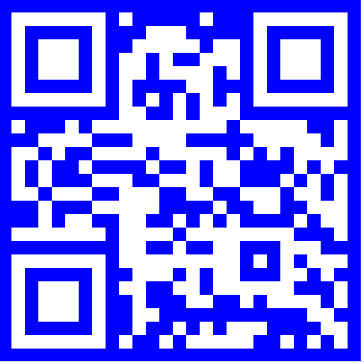
<img class='qr' src='{% qrcode "Hello world!" fill_color="white" back_color="blue" %}'>
{% endblock content %}
which produces the following output:
Documentation
Refer to the qrcode library documentation for more information
Data Matrix
ppf.datamatrix
Data Matrix codes are generated using the ppf.datamatrix library.
Data Matrix Codes provide an alternative to QR codes for encoding data in a two-dimensional matrix. To render a Data Matrix code, use the datamatrix template tag:
Parameters:
| Name | Type | Description | Default |
|---|---|---|---|
data
|
str
|
Data to encode |
required |
Other Parameters:
| Name | Type | Description |
|---|---|---|
fill_color |
str
|
Foreground color (default = 'black') |
back_color |
str
|
Background color (default = 'white') |
scale |
float
|
Matrix scaling factor (default = 1) |
border |
int
|
Border width (default = 1) |
Returns:
| Name | Type | Description |
|---|---|---|
image |
str
|
base64 encoded image data |
Example
{% extends "label/label_base.html" %}

{% load l10n i18n barcode %}

{% block style %}

.qr {
    position: absolute;
    left: 0mm;
    top: 0mm;
    {% localize off %}
    height: {{ height }}mm;
    width: {{ height }}mm;
    {% endlocalize %}
}

{% endblock style %}

{% block content %}


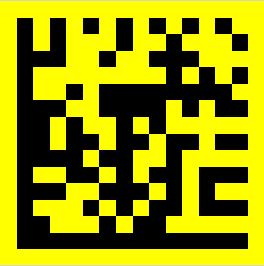
<img class='qr' src='{% datamatrix "Foo Bar" back_color="yellow" %}'>

{% endblock content %}
which produces the following output: