Stocktake
Part Stock History
InvenTree can track the historical stock levels of parts, allowing users to view past stocktake data and generate reports based on this information.
A Stocktake refers to a "snapshot" of stock levels for a particular part, at a specific point in time. Stocktake information is used for tracking a historical record of the quantity and value of part stock.
In particular, an individual Stocktake record tracks the following information:
- The date of the Stocktake event
- A reference to the part which is being counted
- The total number of individual stock items available
- The total stock quantity of available stock
- The total cost of stock on hand
Stock Items vs Stock Quantity
Stock Items refers to the number of stock entries (e.g. "3 reels of capacitors"). Stock Quantity refers to the total cumulative stock count (e.g. "4,560 total capacitors").
Cost of Stock on Hand
The total cost of stock on hand is calculated based on the provided pricing data. For stock items which have a recorded cost (e.g. purchase price), this value is used. If no direct pricing information is available for a particular stock item, the price range of the part itself is used.
Cost Range
Cost data is provided as a range of values, accounting for any variability in available pricing data.
Display Historical Stock Data
Historical stock data for a particular part can be viewed in the Stock History tab, available on the Part page.
This tab displays a chart of historical stock quantity and cost data, and corresponding tabulated data:
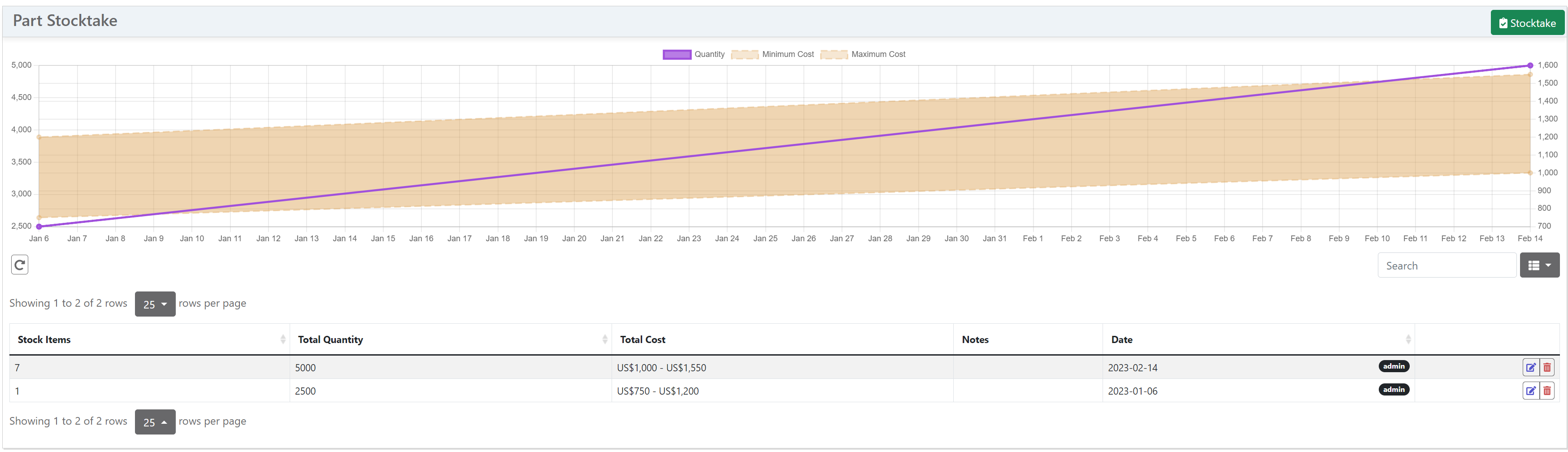
If this tab is not visible, ensure that the Enable Stock History user setting is enabled in the Display Settings section.

Stock History Settings
There are a number of configuration options available in the settings view:
| Name | Description | Default | Units |
|---|---|---|---|
Enable Stock History |
Enable functionality for recording historical stock levels and value | False |
|
Exclude External Locations |
Exclude stock items in external locations from stock history calculations | False |
|
Automatic Stocktake Period |
Number of days between automatic stock history recording | 7 |
days |
Delete Old Stock History Entries |
Delete stock history entries older than the specified number of days | False |
|
Stock History Deletion Interval |
Stock history entries will be deleted after specified number of days | 365 |
days |
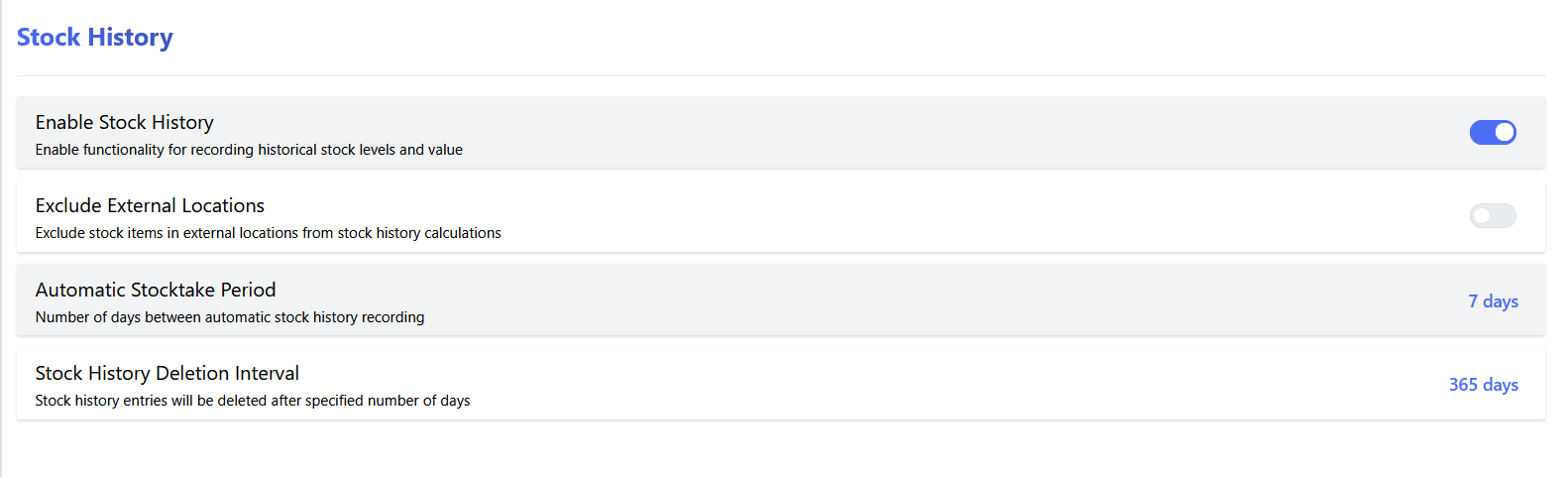
Enable Stock History
Enable or disable stocktake functionality. Note that by default, stocktake functionality is disabled.
Automatic Stocktake Period
Configure the number of days between generation of automatic stocktake reports. If this value is set to zero, automatic stocktake reports will not be generated.
Delete Old Stock History Entries
If enabled, stock history entries older than the specified number of days will be automatically deleted from the database.
Stock History Deletion Interval
Configure how many days historical stock records are retained in the database.