External Manufacturing
External Manufacturing
In some cases, it may be necessary to outsource the manufacturing of certain components or assemblies to an external supplier. InvenTree provides a simple interface for managing external manufacturing processes, allowing users to create and track orders with external suppliers.
In the context of InvenTree, an external build order is a request to an external supplier to manufacture a specific assembly or component. This order is linked to a specific BOM and build order, ensuring that the correct components are produced.
In conjunction with the external Build Order, a Purchase Order is required to manage the procurement of the manufactured items. The purchase order is used to track the order with the external supplier, including details such as pricing, delivery dates, and payment terms.
When items are received from the external supplier (against the Purchase Order), they are automatically allocated to the external build order.
Stock Allocation
Stock item can be allocated against an external build order as per the normal build order process. The external manufacturer may be expected to provide all of the components required to complete the build order, or they may only be responsible for a subset of the components. In either case, it is important to ensure that the correct stock items are allocated to the external build order. The allocation process is flexible, allowing users to specify which components should be included in the order.
In the case of partial allocation, the user simply selects the stock items that should be included in the order.
Fulfillment
The fulfillment process for external build orders is slightly different from the standard build order process. Instead of manually creating build outputs for the build order, these outputs are generated when the linked Purchase Order items are received. The Build Order and Purchase Order processes are closely linked, allowing users to easily manage the entire manufacturing process from start to finish. This includes tracking the progress of the external manufacturing process, managing stock allocations, and ensuring that the correct components are delivered on time.
Extra Requirements
To successfully manage external build orders, the "assembly" (the part which is being manufactured) must be a purchaseable part, and it must have a linked Supplier Part which is associated with the external supplier.
This ensures that external build orders are only created for parts that can be purchased from the supplier, and that the supplier is provided with the correct order codes and descriptions.
The external suppiler must also be marked as a "manufacturer" in the InvenTree system.
Enable External Manufacturing
By default, external manufacturing is disabled in InvenTree. To enable this feature, enable the External Build Orders setting.
External Build Order Process
The process for managing external build orders in InvenTree is as follows:
Create Build Order
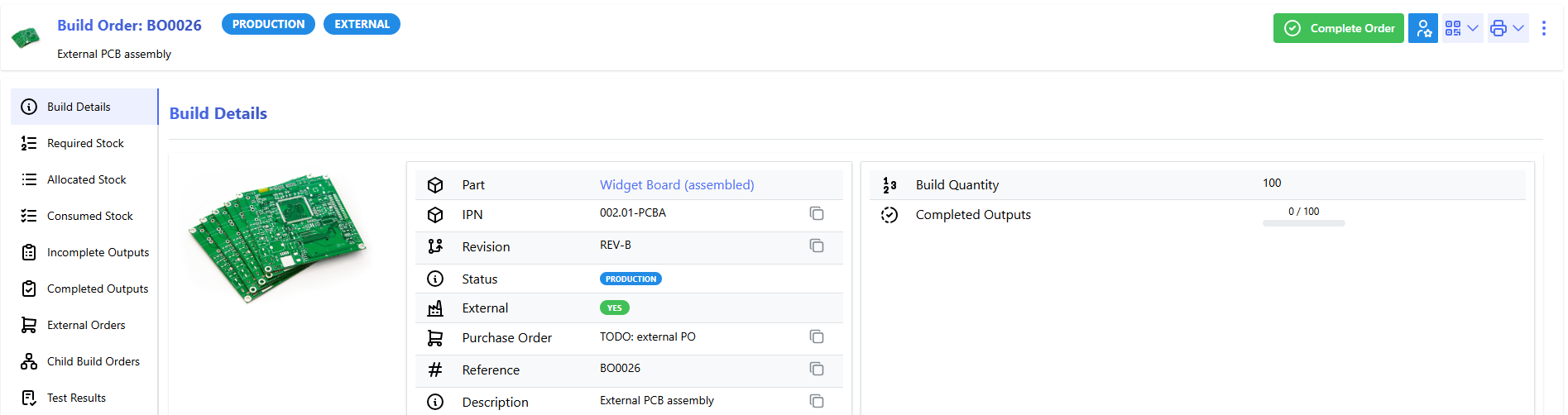
Create a new build order, specifying the assembly part and the quantity to be manufactured. When creating the new build order, select the "External" option to indicate that this is an external build order. The Build detail page will indicate that this is an external build order:
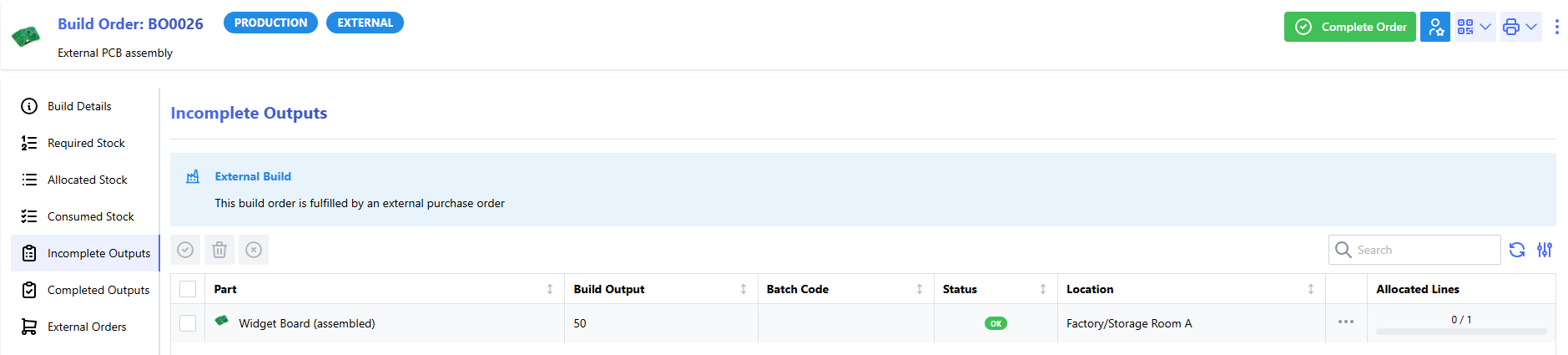
Additionally, the Incomplete Outputs panel will indicate that the build order is linked to an external purchase order, and that the outputs will be generated when the purchase order items are received.
Create Purchase Order
Once the build order has been created, a purchase order provides the link between the build order and the incoming goods (which will fulfil the build order).
Create a purchase order against the external supplier which will be responsible for manufacturing the assembly. This assumes that there is already a supplier part which links the assembled part to the external supplier.
Add Items to Purchase Order
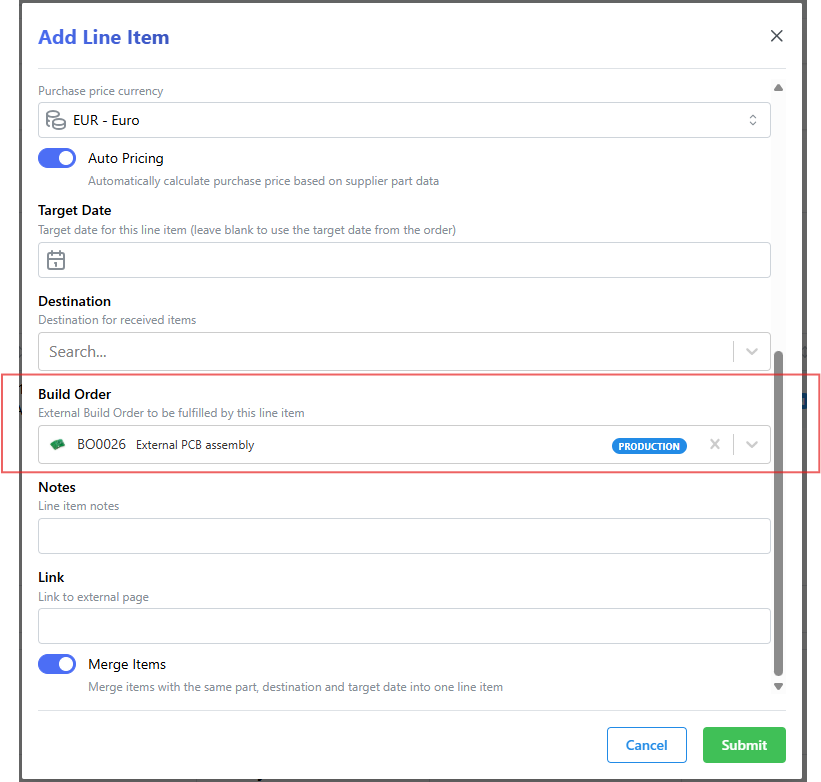
Once the purchase order has been created, add the assembly part to the purchase order. When adding the line item to the purchase order, ensure that the "Build Order" field is set to the external build order that was created earlier. This links the purchase order to the build order, allowing InvenTree to automatically allocate the received items to the build order when they are received.
Receive Items
Follow the normal process for receiving items against the purchase order. When the items are received from the external supplier, they will be marked as "build outputs" against the external build order.
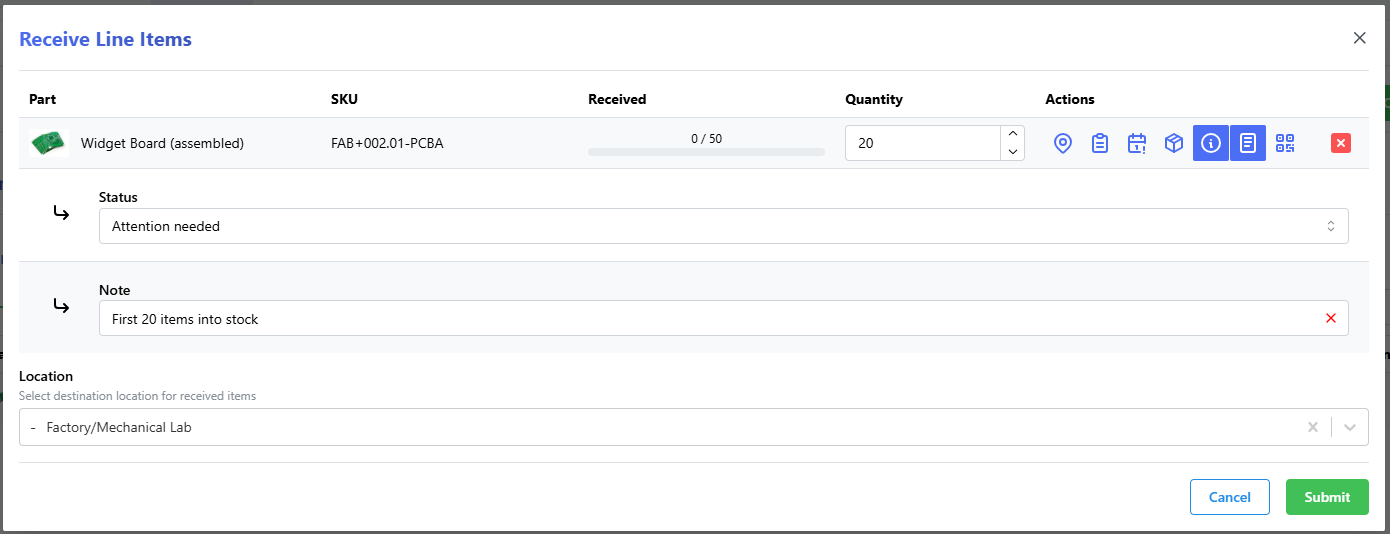
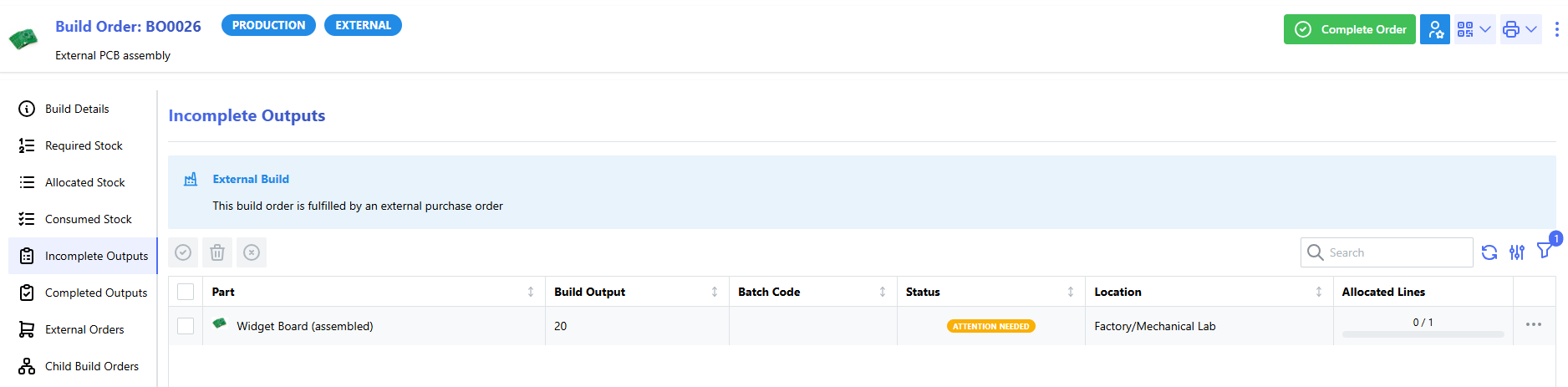
The received items will now be registered as "incomplete outputs" against the external build order: